
Find agents waiting for you
Distinguish active sessions from those waiting for input. Completed work you have not yet reviewed remains visible in the list.
herdr-tower
Which agent is working, and which one needs your answer? herdr-tower brings session status and task context together by project. Find the work that needs you without opening every terminal window.
An open-source project developed and maintained by ORASCOPE
Distributed under the Apache License 2.0. Apache License 2.0
Repositories and installation files currently require access permission. Include the project name when contacting us.
github.com/orascope/herdr-towerSee what changes
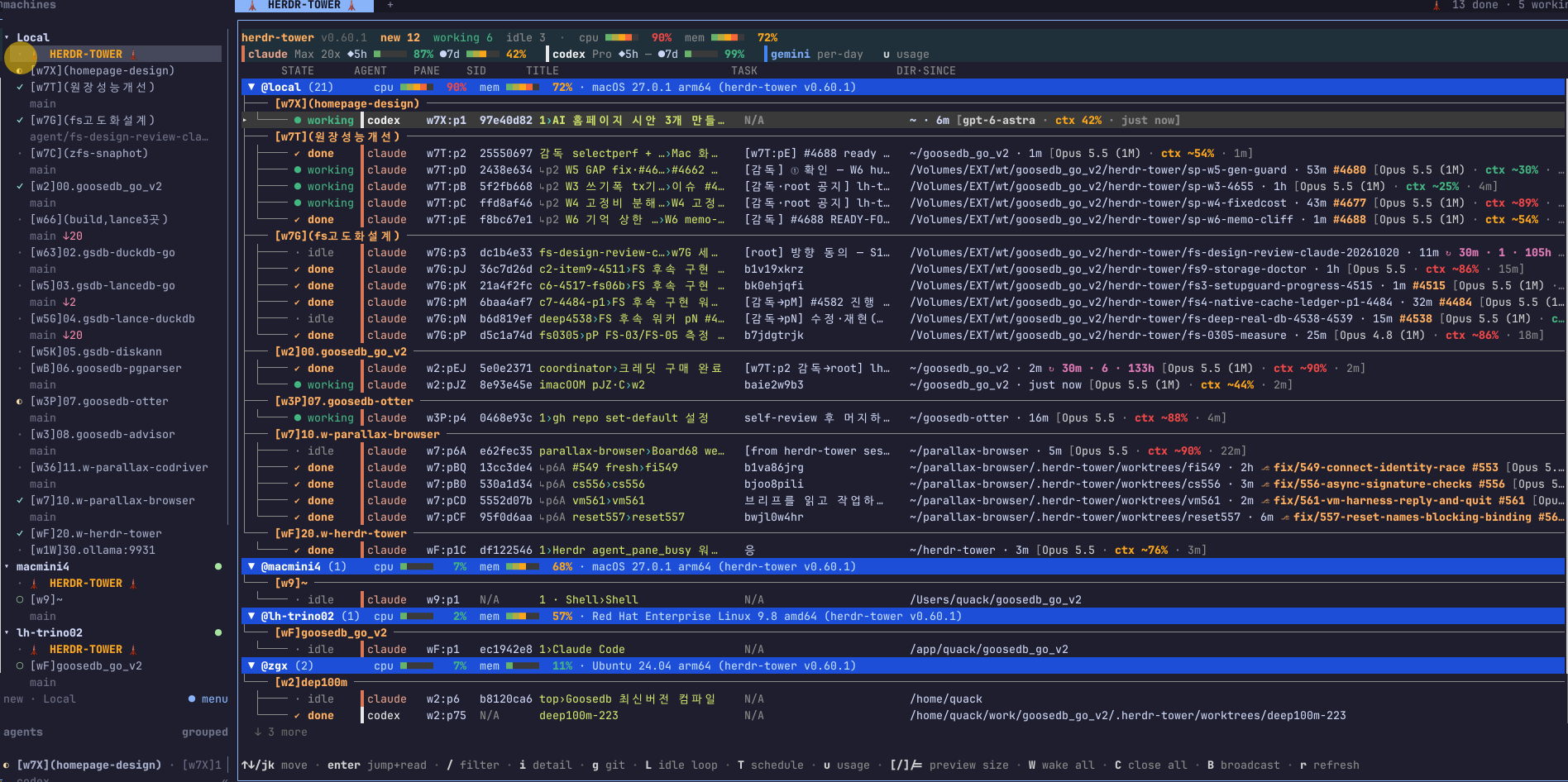
Distinguish working sessions from finished ones.
See the agents working on the same project together.
See local and registered remote machines in one list.
Find the session to check before opening every window.
Connect each task to its agent and status on the work board. Inspect changes in separate code workspaces before deciding what to accept.
See sessions from machines registered in herdr in the same list. Connectivity and load information help identify the host and task.
Preview the selected session
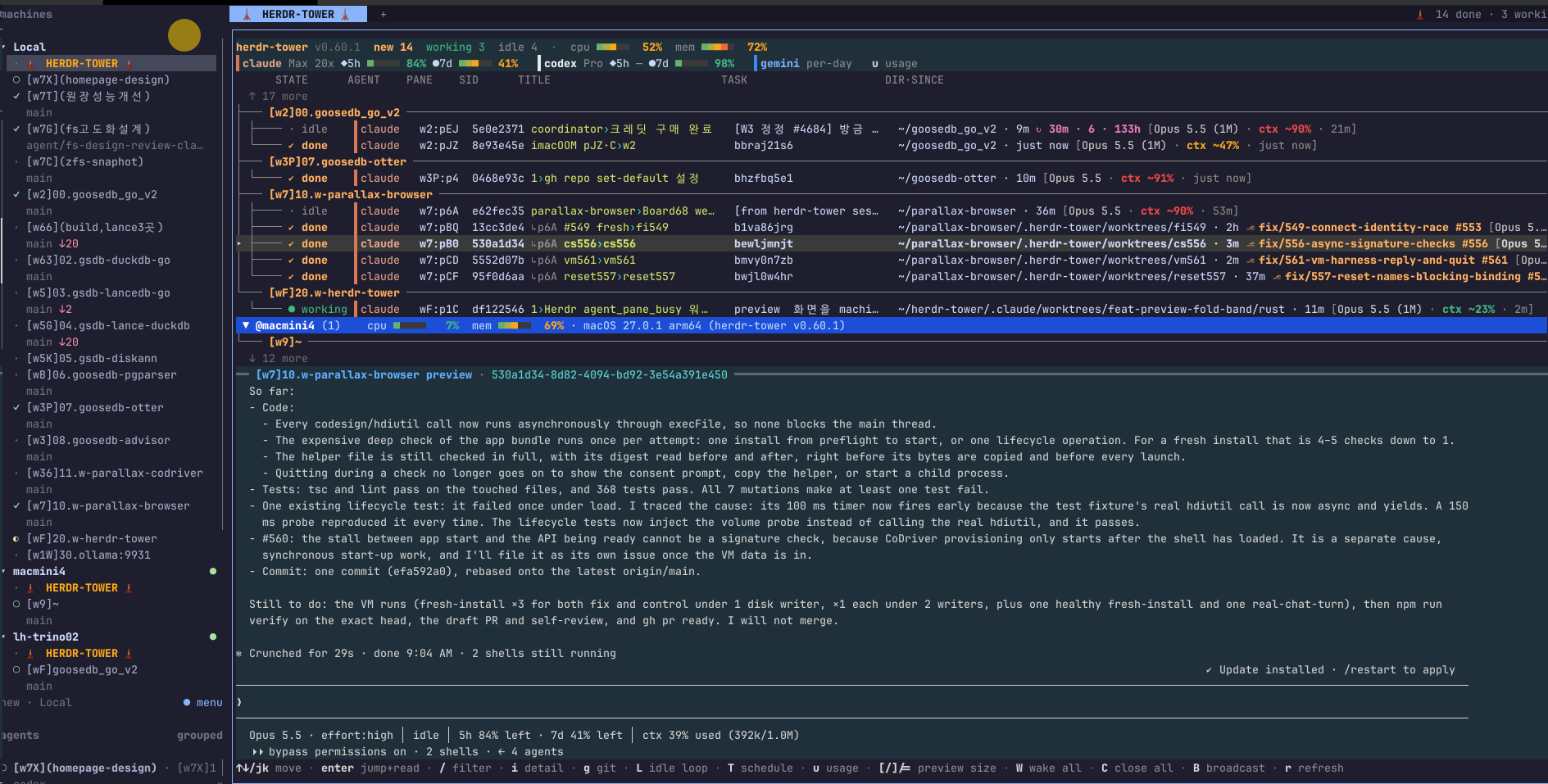
One view of the work your AI agents are doing
Distinguish active sessions from those waiting for input. Completed work you have not yet reviewed remains visible in the list.
Preview a selected session before opening it. Project names and task titles help you find the right context among similar windows.
Connect tasks to their assigned agents on a shared work board. Track an agent finishing its work separately from a reviewer accepting it.
Create separate code workspaces for agents. Run work in parallel, compare changes and combine them after review.
See supported Claude and Codex usage information alongside the work. Configure usage thresholds to help control repeated tasks.
Bring sessions from remote computers registered in herdr into the same list. Check connectivity and host load while finding the work you need.
Working with it
The session list is the center of herdr-tower. Go deeper when a task needs attention and keep the rest in view.
Getting started
The GitHub repository and release files currently require access permission. This is an Apache License 2.0 project. Contact ORASCOPE for access inquiries.
Follow the installation guide, then run your AI tools in herdr. Check that their sessions appear in the tower.
Give tasks to the appropriate agents. Add the work board and separate code workspaces when you need them.
Jump to a waiting session to clarify a request. Review completed work before moving it to the next step.
Use cases
Let one agent implement a change while another handles tests or review. Follow their progress in one list and coordinate the next steps.
Find sessions by project and task title. Recover the context of yesterday’s work without inspecting every open window.
Configure waiting and completion notifications so you can return when needed. Enable scheduled messages or repeated tasks explicitly for the work you want.
How it connects
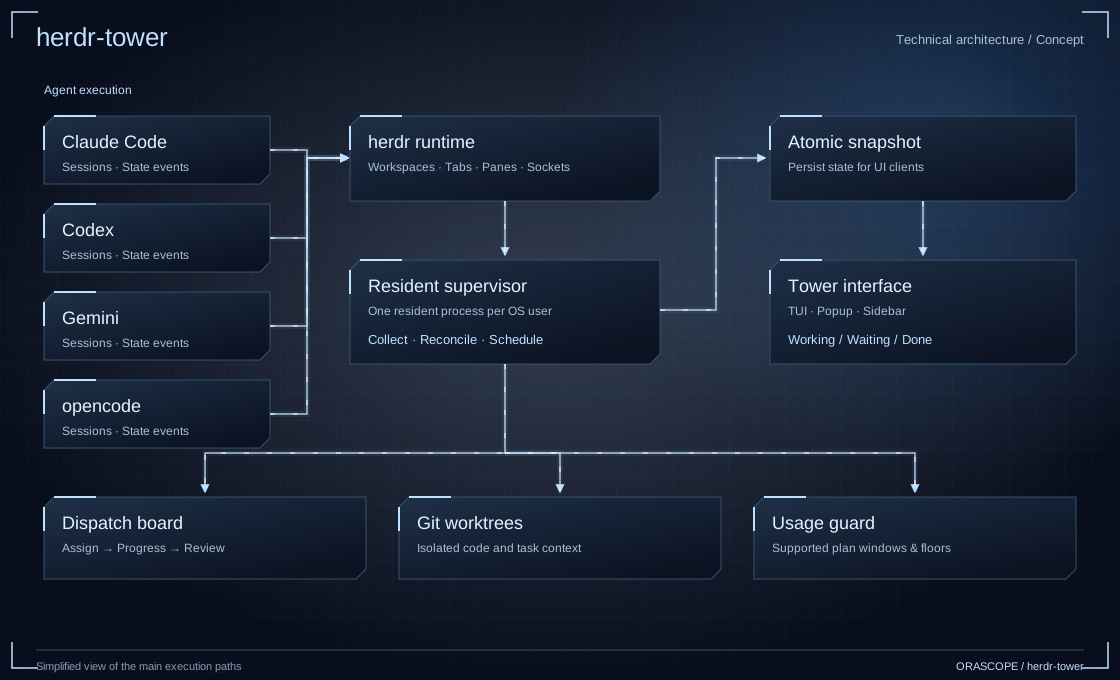
AI tools work inside herdr. herdr-tower gathers their status into one view, where you decide what needs attention and open the relevant session.
FAQ
The connected AI tools write the code. herdr-tower gathers their status, helps assign work and takes you to the sessions where you can review the results.
It works with Claude Code, Codex, Gemini and opencode sessions. Prepare the tools and accounts separately; see GitHub for current integration requirements.
herdr-tower is built for the herdr runtime. A regular terminal alone does not provide the same session list. Install herdr and the AI tools you intend to use first.
Finishing a task and accepting its changes are separate steps. You retain the decision to review and combine changes from separate workspaces.
No. Availability depends on the tool and its connection. Supported Claude and Codex usage windows are the main sources for usage information.
herdr-tower is developed and maintained by ORASCOPE and distributed under Apache License 2.0. Terms and charges for connected AI services are separate.